Complete workflows, not just screens
A live operational picture
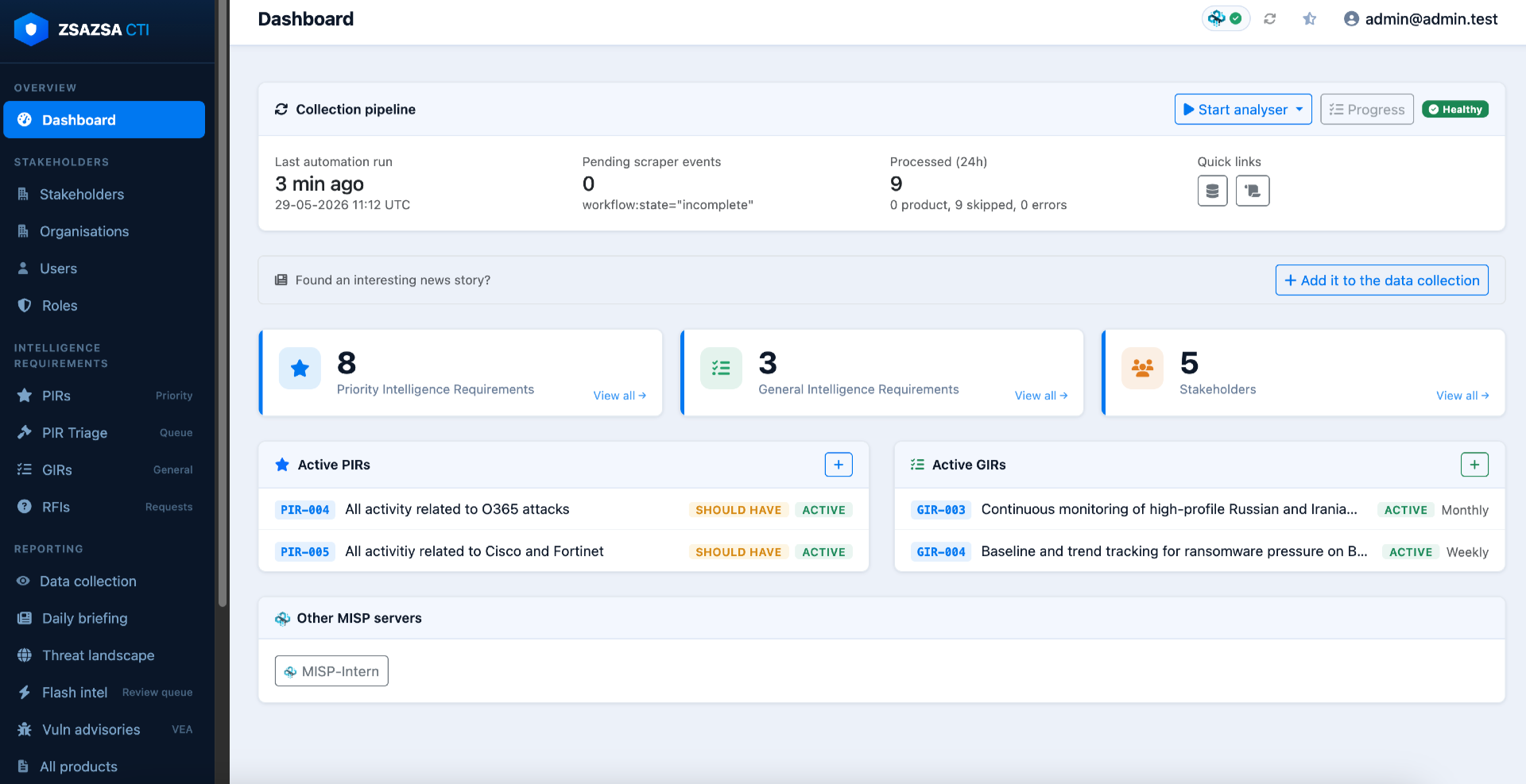
The dashboard gives a quick overview of the pipeline, active requirements, your stakeholders and recent processing results, so the team can see where things stand at the start of the day.
- Active PIR and GIR counts, and stakeholder numbers
- How recently the analyser pipeline ran, plus 24-hour processing results
- Pending scraper events waiting for analysis
- Reference panel for Admiralty Scale, TLP and CTI evaluation
Collection that flows into products
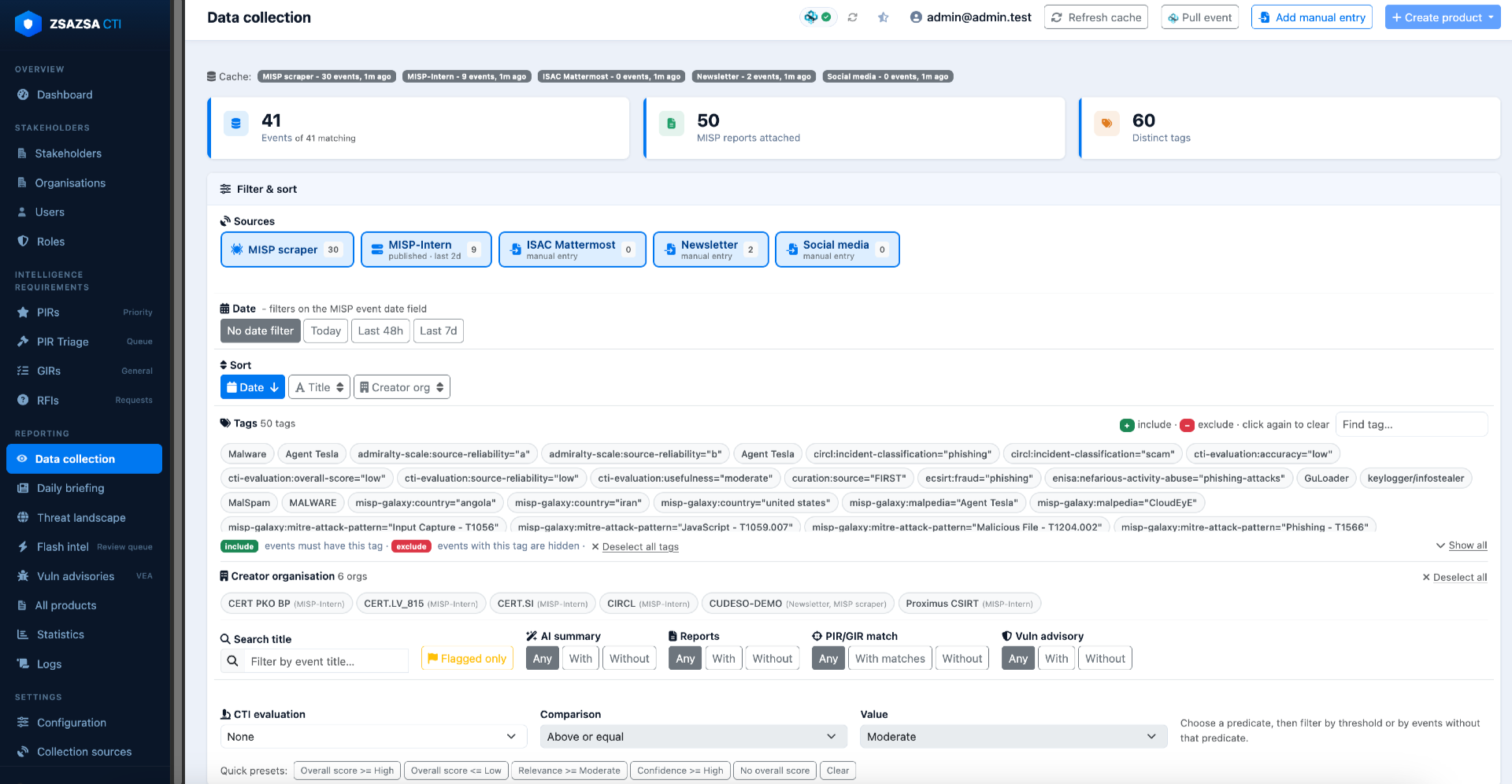
The data collection view gives a cached feed with filters for source, tags and context, so analysts can work through large numbers of events quickly, then start a new product directly from the events they select.
- Cached events from scraper and additional MISP servers
- CTI evaluation scoring during triage
- Create a Flash intel alert, advisory or briefing from source events
- Import security newsletters, such as the ETDA CTI robot, into the pipeline
- Manual collection entries for sources that aren't auto-collected
Requirements that drive collection
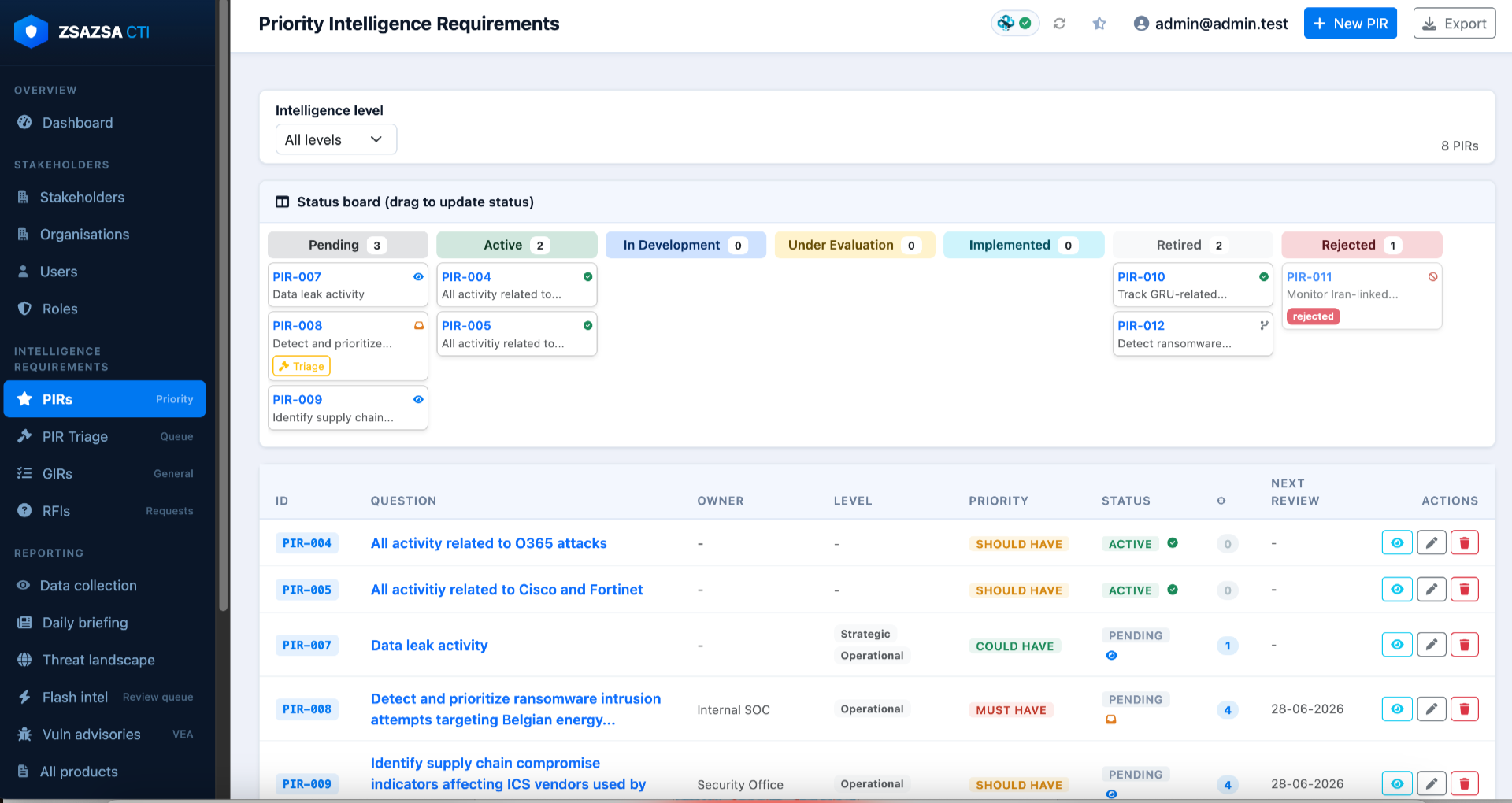
PIR pages capture the core intelligence questions that set collection and analysis priorities. Triage lets submitted PIRs be acknowledged, approved, deferred, rejected or merged, each with a clear note on the decision.
- Scope, sub-questions, ownership, distribution and collection mapping
- GIRs for longer cycles, with a review schedule and expected outputs
- Scope synchronised with focus points and MISP galaxies
Distribution that matches your organisation
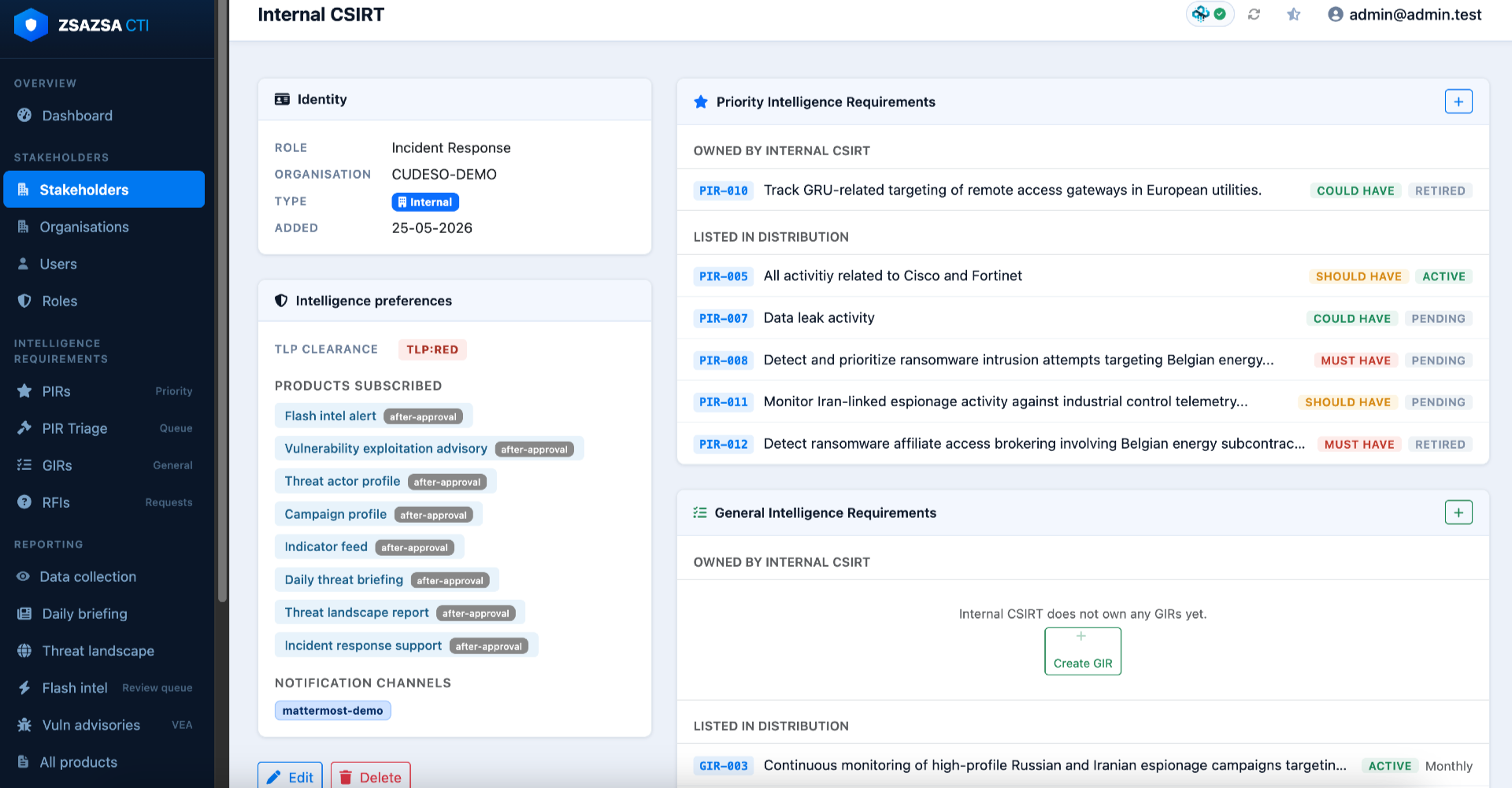
Stakeholders are managed locally and linked to MISP organisations. Each record supports internal or external roles, multiple contact fields, TLP clearance, product subscriptions and delivery preferences.
- Per-stakeholder notification channels (Mattermost, e-mail, Flowintel)
- Audience, subscription and TLP checks on every published product
- Stakeholder matrix for accountability and delivery
Metrics with maturity signals
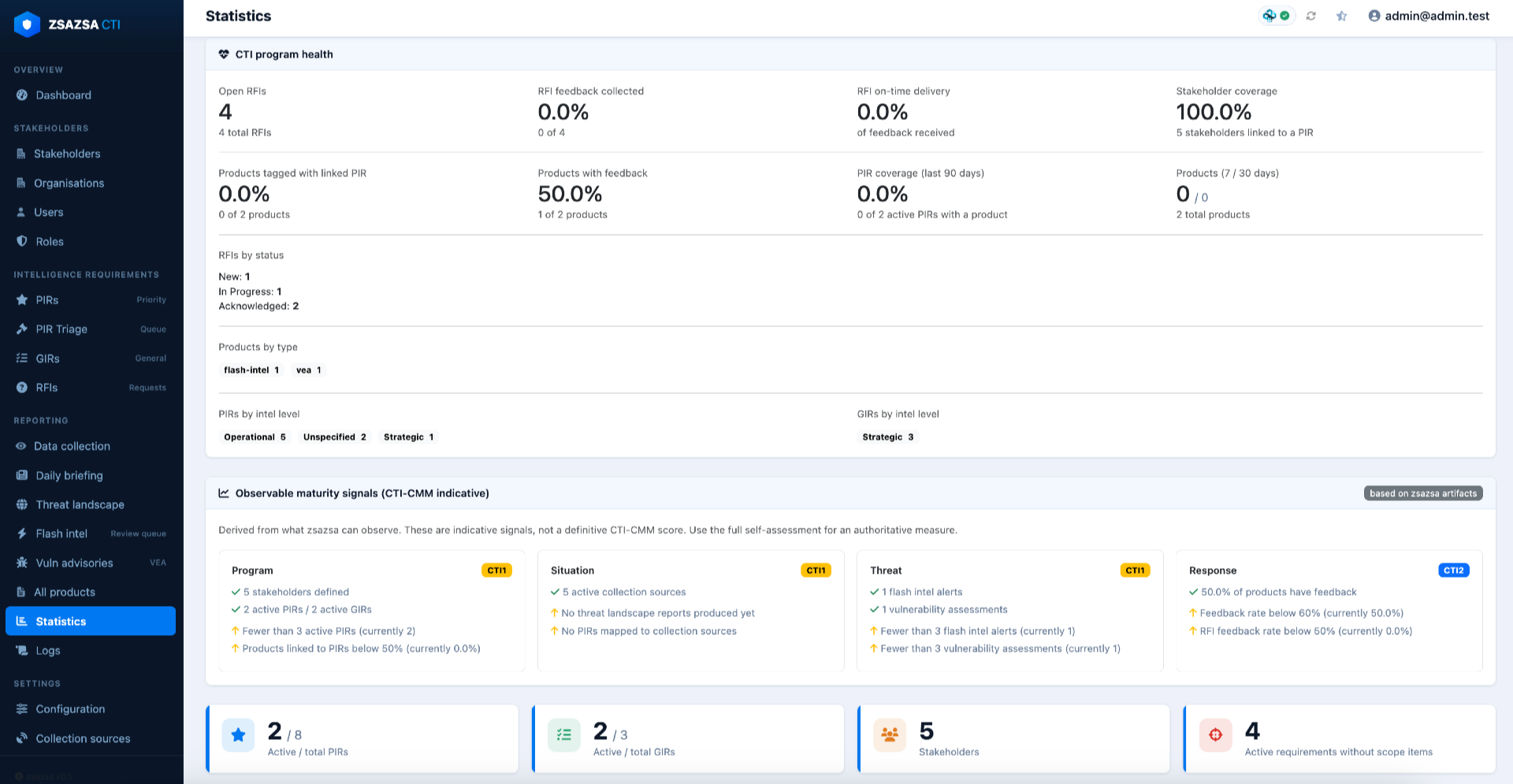
Statistics pages combine day-to-day statistics with CTI maturity metrics. The CTI-CMM panel reads from your live data across five areas: Program, Situation, Analytical production, Operational delivery and Feedback.
- Source and outcome trends, RFI and feedback KPIs
- How many products you produce, plus PIR coverage checks
- CTI-CMM levels CTI0 to CTI3 with measurable gaps highlighted
AI help for analysts, on your terms
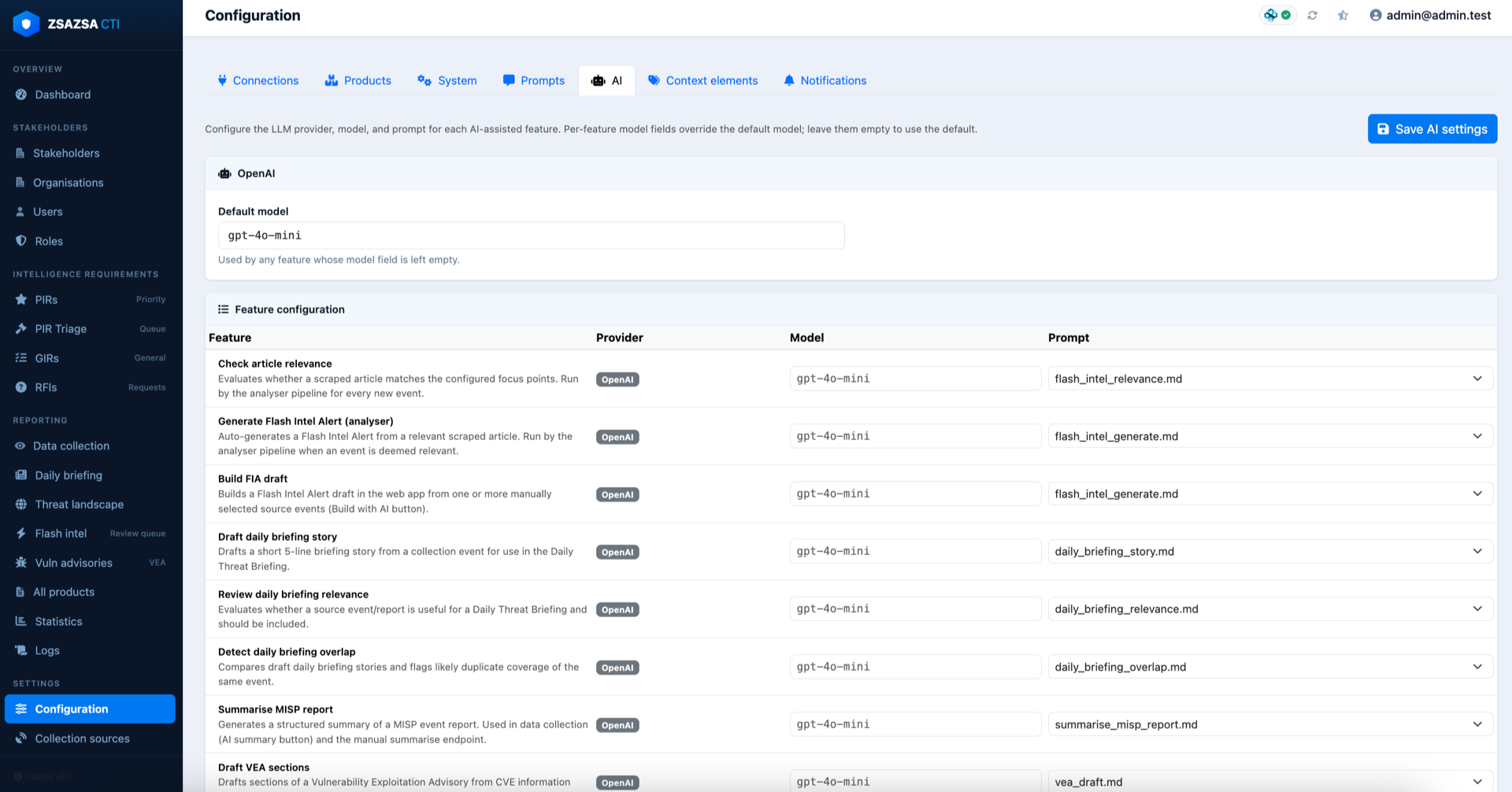
AI-assisted features help with triage, relevance checking and drafting. zsazsa works with two kinds of provider: OpenAI, and a local LLM reached over an OpenAI-compatible API such as the one Ollama exposes. Because these features send raw MISP event text to whichever provider is configured, running a local model keeps that content on your own infrastructure.
- Both providers enabled independently, with one set as the default
- Per-feature provider, model, temperature and prompt selection
- LLM summaries of MISP reports, written back into MISP
- Drafts for threat actor profiles, threat landscape reports and briefing stories
- Flash intel alerts and advisories audited against their source events before publishing
- Token usage recorded per provider, so local calls are counted separately
A provider cannot be switched off while features still point at it, so nothing silently loses its model.
RFIs from intake to closure
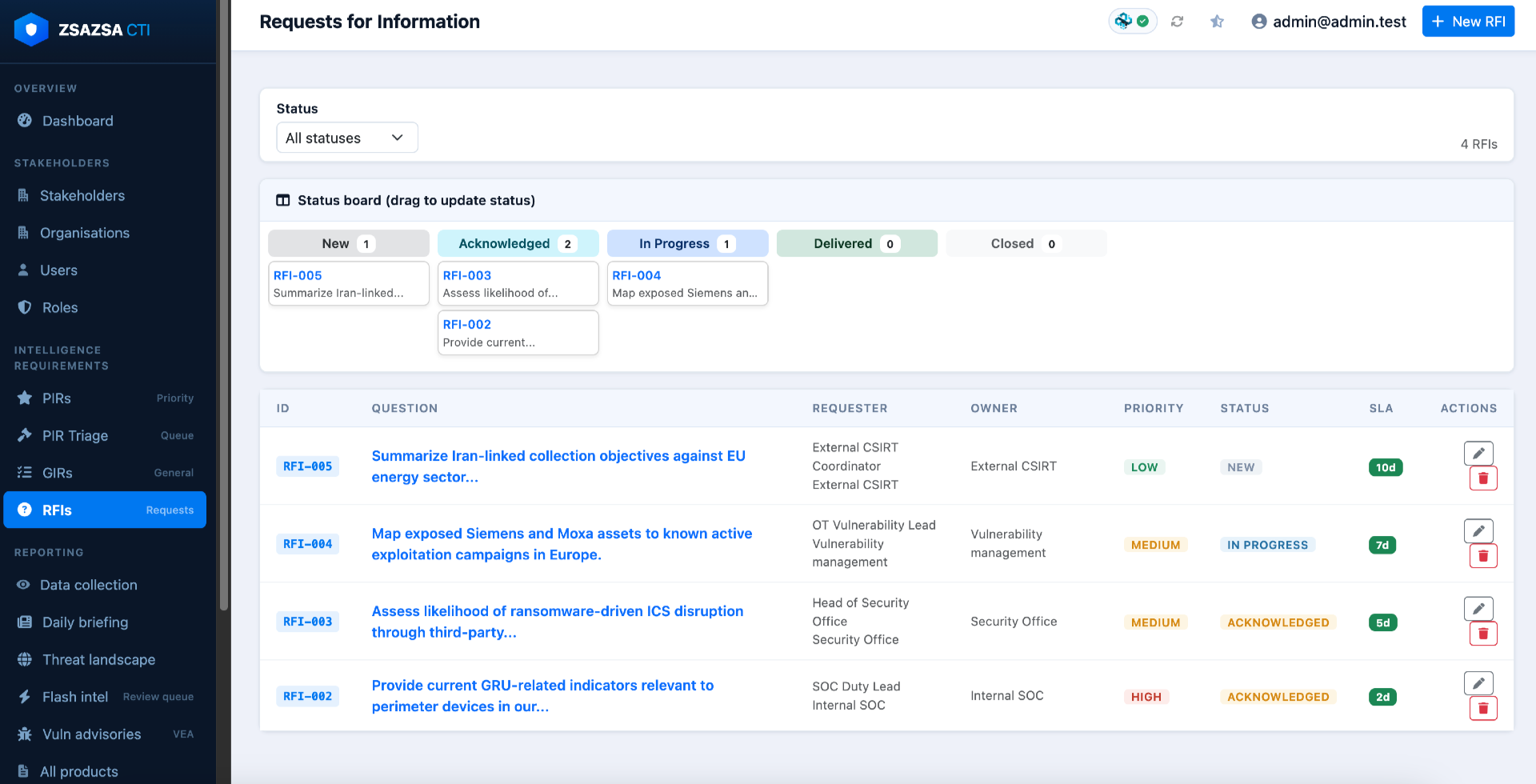
The RFI workflow runs from the first request through to closure, so one-off requests for intelligence are tracked just as carefully as your standing PIRs and GIRs.
- SLA-aware due dates and owner assignment
- Links to the originating PIR or GIR
- Response capture and feedback tracking through to closure
Threat actor profiles with a Diamond Model
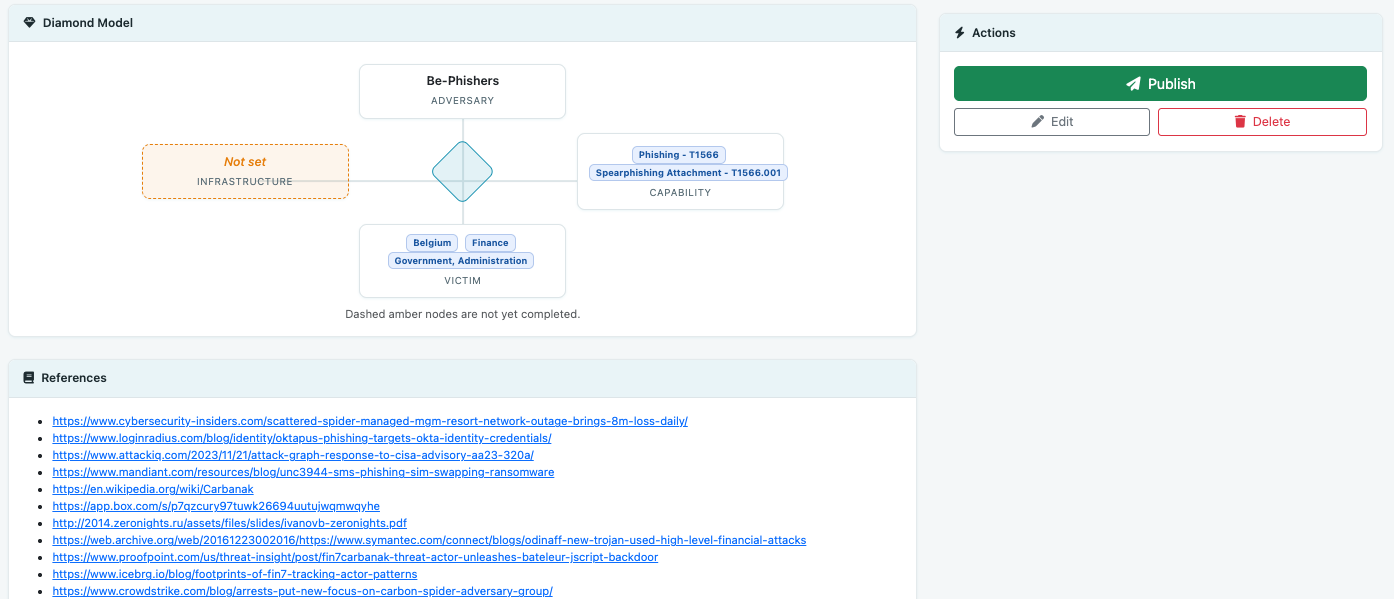
Build a profile of an actor by pulling in what the MISP galaxies already hold as a first draft, then expanding it with your own knowledge and investigation.
- Diamond Model view across adversary, infrastructure, capability and victim
- The Diamond Model image is embedded when the profile is shared
- Link one or more indicator feeds to track observed infrastructure
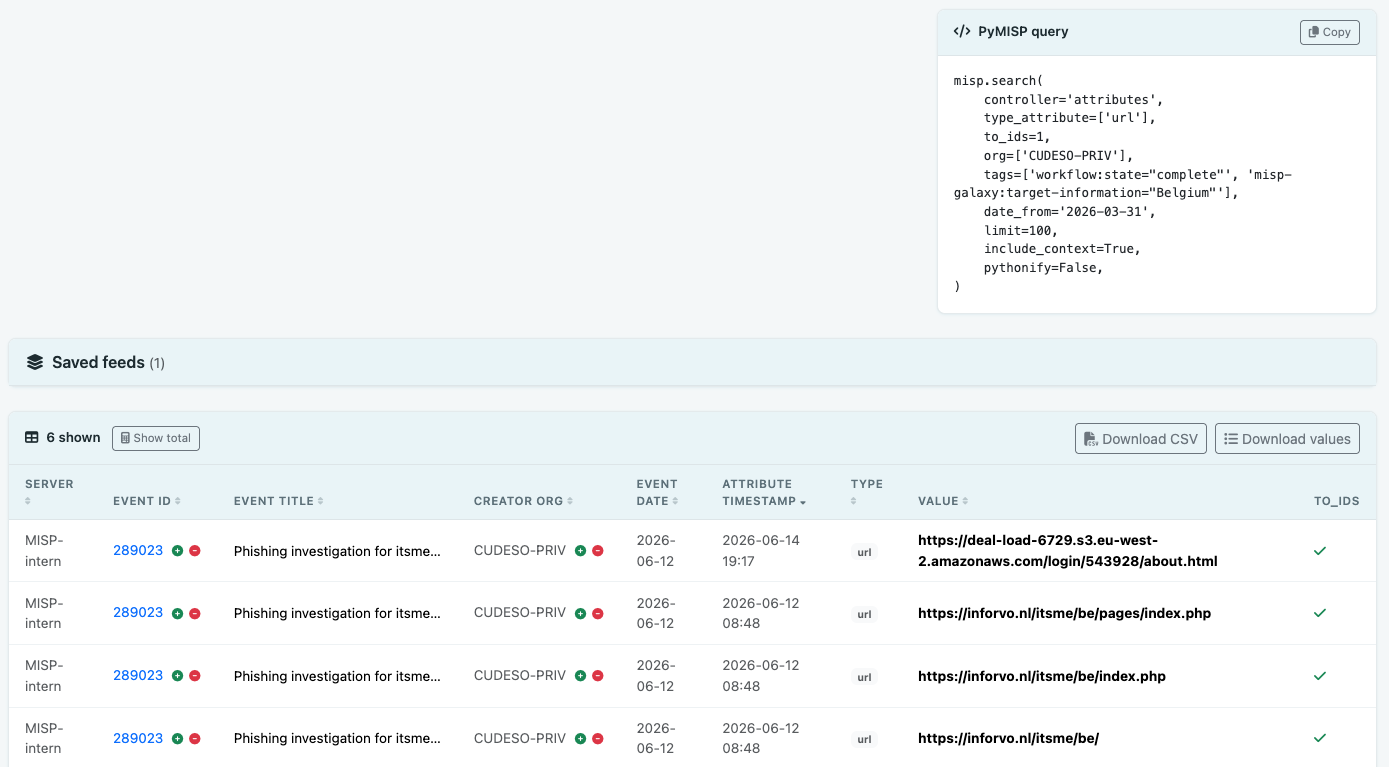
Indicator feeds your tools can pull
Build a detailed query against MISP and get back the matching list of indicators, kept as a reusable PyMISP query you can copy and run elsewhere.
- Each feed gets its own unique URL, pulled without a login
- Delivered to subscribers as a plain value list or as CSV by e-mail
- Audience and TLP gated, and linkable to a threat actor profile